You manage student files, registers and administration papers. You want to scan them, file them and find them.
- Capture with a scanner or a smartphone.A school without a scanner can start.
- Student files linked to Kalara, no retyping.KUP recognises the registration number and opens the file.
- Original kept intact, every access logged.You know who read what, and when.
A search, written the way you would say it
| Request | Results |
|---|---|
| report cards of Form 3 A, year 2024-2025 (example) | Report card — Sample student 1 · Report card — Sample student 2 |
Example: fictional data.
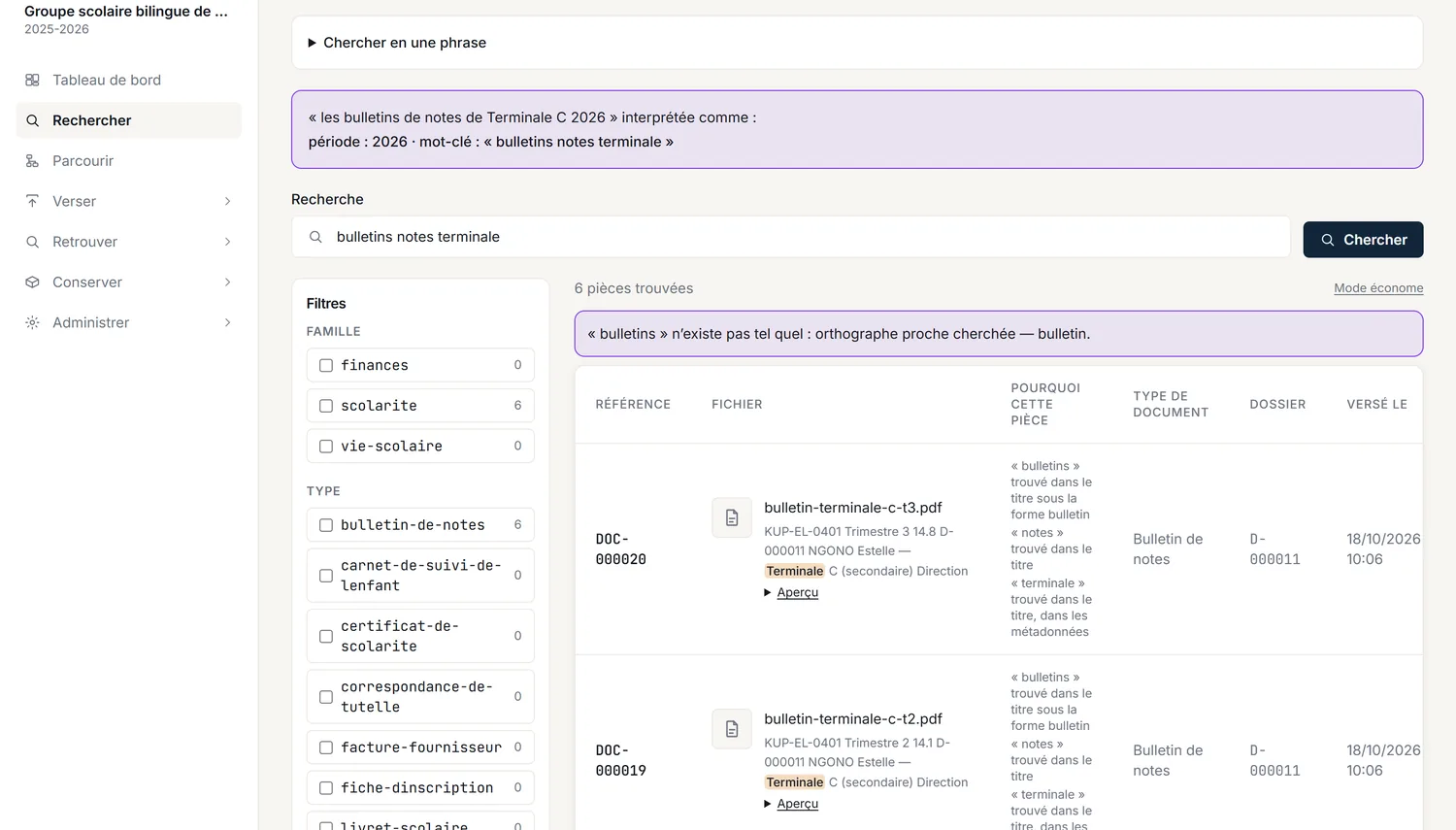
Show what KUP understood
You write your request. KUP shows how it read it: document type, class, year. You can edit it before running the search.
Keep papers for the long term
Each document gets a classification, a retention period and a final outcome. Disposal is a logged action, with a disposal slip. How KUP preserves documents
Frequently asked questions
Do I need Kalara to use KUP?
No. KUP is a separate application. Without Kalara, you add and index documents by hand.
Do I need a scanner?
No. You can scan with a smartphone: a school without a scanner can start.
Does KUP change the original?
No. The original is kept intact. Readable or searchable versions are extra representations.
See KUP on your papers
Tell us about your school and we show you KUP on your own files.